Customise your practice's recall reasons.
Procedure
-
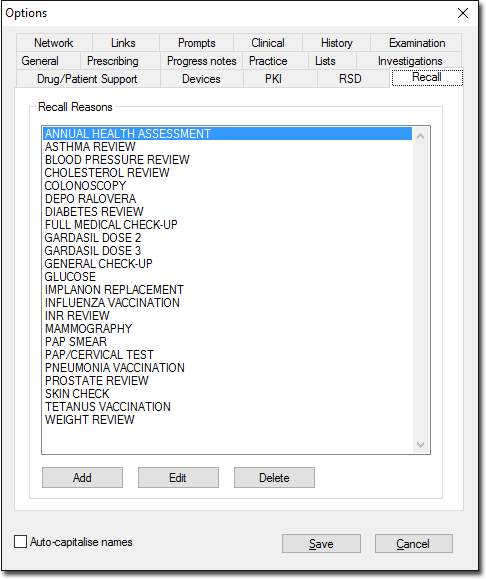
Select tab.
-
In the Recall tab, click Add. The
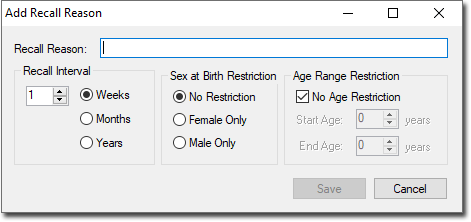
Add Recall Reason window appears.
-
In the Recall Reason field, enter a name or description for
the recall reason you want to add.
-
Modify other settings as desired. The settings are used as defaults for this
recall reason, which can be overridden when you create a new Recall for the
patient.
- Recall Interval - how often the Recall should occur,
when it is used for recurring Recalls (as opposed to once-off Recalls).
- Sex at Birth Restriction - whether the Recall reason's
availability is limited to a specific sex at
birth.
- Age Range Restriction - whether the Recall reason's
availability is limited to a specific age group.
-
Click Save to confirm.
Results
You will be returned to the Recall tab,
where your new recall reason is now listed.
