Add an outstanding action to remind yourself about particular information related to
this patient.
Procedure
To add an outstanding action:
-
From the patient's record, select . The Outstanding Actions window appears.
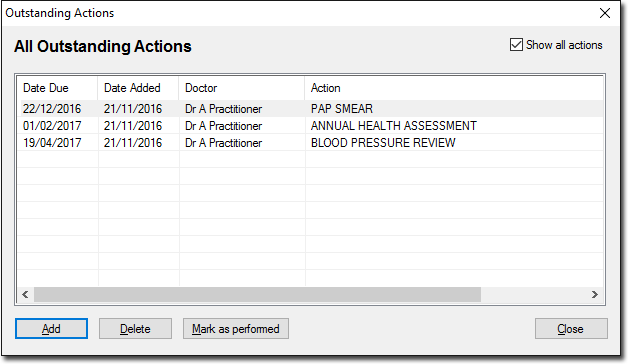
By default, the
window shows all Outstanding Actions for this patient. To display actions only for
the next 7 days, deselect Show All Actions.
-
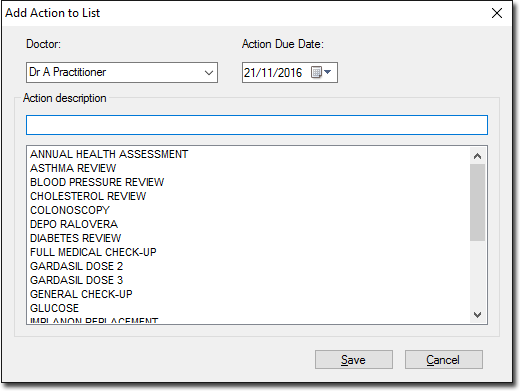
To add a new Action to the Outstanding Actions list, click
Add. The Add Action to List window appears.
-
Select the practitioner who recorded the Outstanding Action via the associated drop-down list.
-
Select a date on which the Action is due.
-
Then either:
- Enter a free-typed description of the Action into the Action Description text
box. Free-typed descriptions are used only once (for the current Outstanding
Action), saved only to the current patient's record. If you think you may wish
to use the same description on another occasion, and/or with another patient,
consider adding it to the global list of pre-defined Actions first.
- Select one of the predefined Actions from the list provided.
-
Click Save to save the Action to the patient's Outstanding Actions list.
Results
The action is added to the patient's record.
