
Logging On
Logging on is a very important process, especially when operating in a multi-user environment.
Before you begin
The Clinical database contains medical data of a sensitive nature. For more information about access permissions and the user database, see Adding, Editing and Deleting Users.
Procedure
-
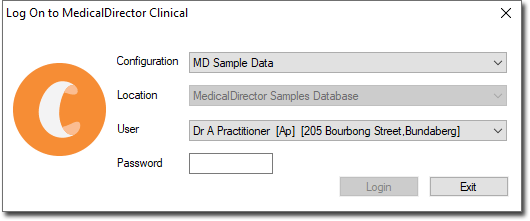
When you start Clinical, the Log On to MedicalDirector
Clinical prompt is displayed.
Results
What to do next
To log on after MedicalDirector Clinical has already been active, from the Clinical main screen select .
If you are sharing a computer with another user, each user can log in without the other first logging off; logging on with a different password automatically logs the previous user off on a shared computer.