
Hide Visit Timer
If a timer is not required for consultations, you can hide or deactivate it.
Before you begin
Procedure
To disable or hide the visit timer:
-
On the Progress Notes tab:
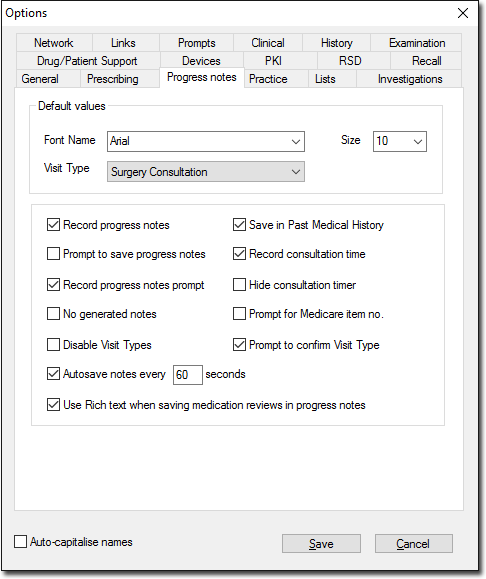
- To deactivate the Visit Timer, deselect Record Consultation Time.
- To hide the Visit Timer, set Hide Consultation Timer.