
Adding Cervical Screening Results via the Clinical Front Screen
Before you begin
Clinical > Cervical Screening > Add Result
Procedure
-
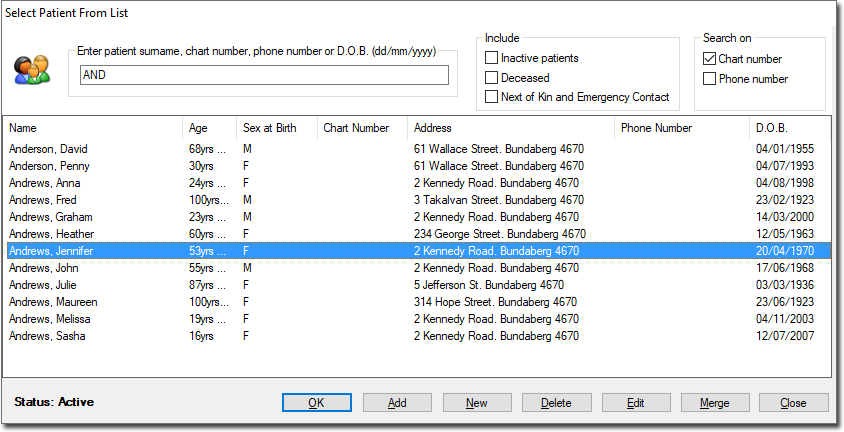
From the Clinical Front Screen, select The appears.
-
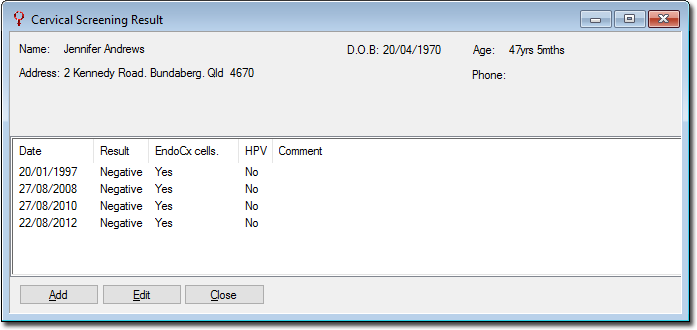
Search for and open the patient record you want to add a result for. The Cervical Screening Result summary for the patient will appear.
- Only female or gender-neutral patients will appear in the list.
-
Click AddThe window appears.
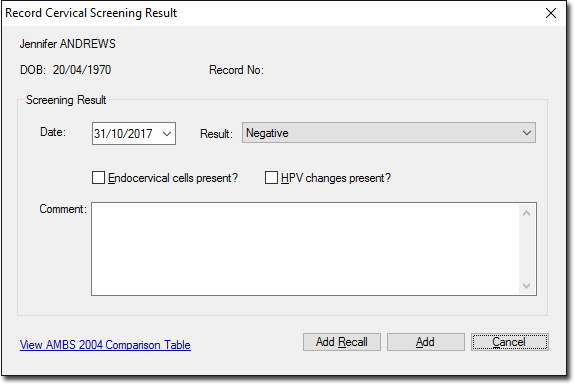
- Enter the date on which the screen was obtained from the patient.
- Select a result type from the list provided.
- Tick check boxes as appropriate to indicate whether Endocervical cells and/or H.P.V. changes were present.
- If you wish to generate a Recall notification for this patient, click Add Recall