
Medication Review
By performing a Medication Review you can record problems identified with each medication the patient is currently prescribed, and make recommendations to deal with those issues.
Before you begin
You can print a report of your findings and recommendations, and record the recommendations into the patient's Progress Notes.
During the review, a check list is presented for each current medication, along with information that includes warnings about potential problems, and product information.
Procedure
-
From within the Clinical Window, select . The Medication Review window appears.
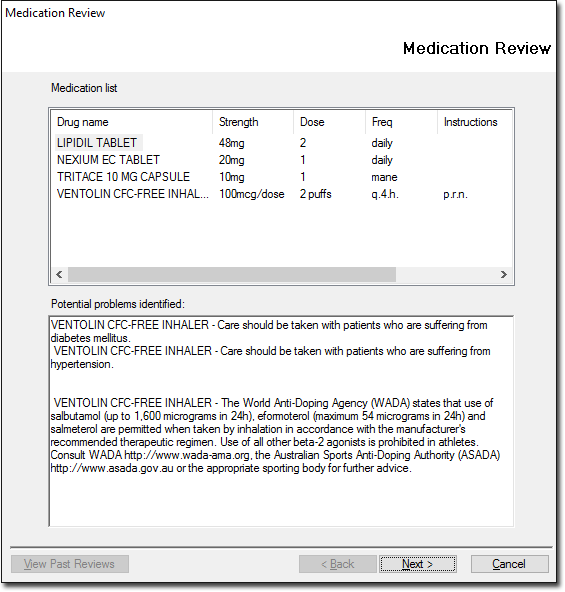
This window lists the patient's current medications and information on potential problems
Click View Past Reviews at any time to call a list of past reviews. Past reviews can not be edited.
-
Click Next to display the first medication on the list.
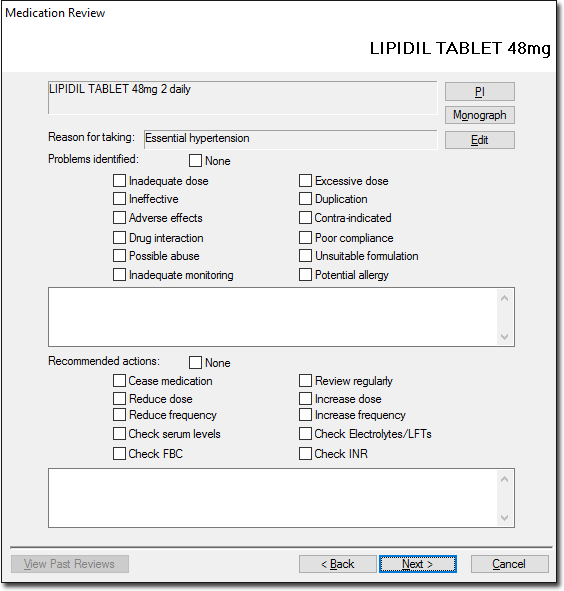
Select the appropriate check boxes and record notes as necessary.- Click PI to display Product Information about the current medication.
- Click Monograph to open the Independent Drug Monograph browser.
- Click Edit to re-evaluate the reason for prescription.
-
Upon completing all reviews, a report is displayed.
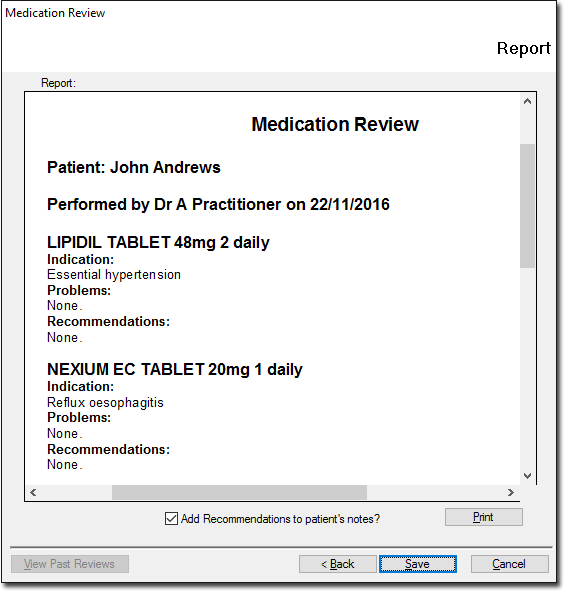
- Click Save to save a copy of the report to the database.
- Select the Add Recommendations to Patient's Notes? check box to save a copy of the report to the patient's Progress Notes.
- To view previous Medication reviews, click View Past Results.