
Summaries and Reports
Add a route of administration to previously-prescribed medication.
Before you begin
When printed, the following medication charts (available via the Summaries menu) automatically indicate the chosen Route of Administration using an abbreviation:
- Nursing Home Medication Chart (NHMC)
- Compact Business Systems
- Drug Sheet
- Long Term Drug Sheet
When printed, the following summary reports (available via the Summaries menu) automatically indicate the chosen Route
of Administration using an abbreviation:
- Complete Record
- Full Summary
- Health Summary
- Medications
About this task
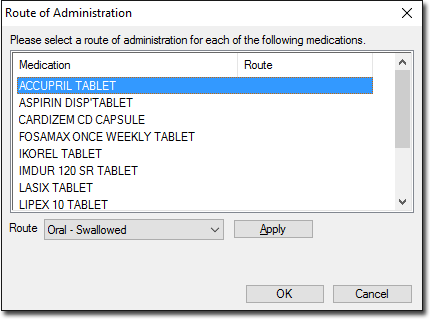
Procedure
To assign a Route of Administration to each previously-prescribed
medication: