
Via MDref Explorer
Before you begin
Procedure
-
Within MDref Explorer, right-click a given medication, and select the Single and Multi-Ingredient Products option.
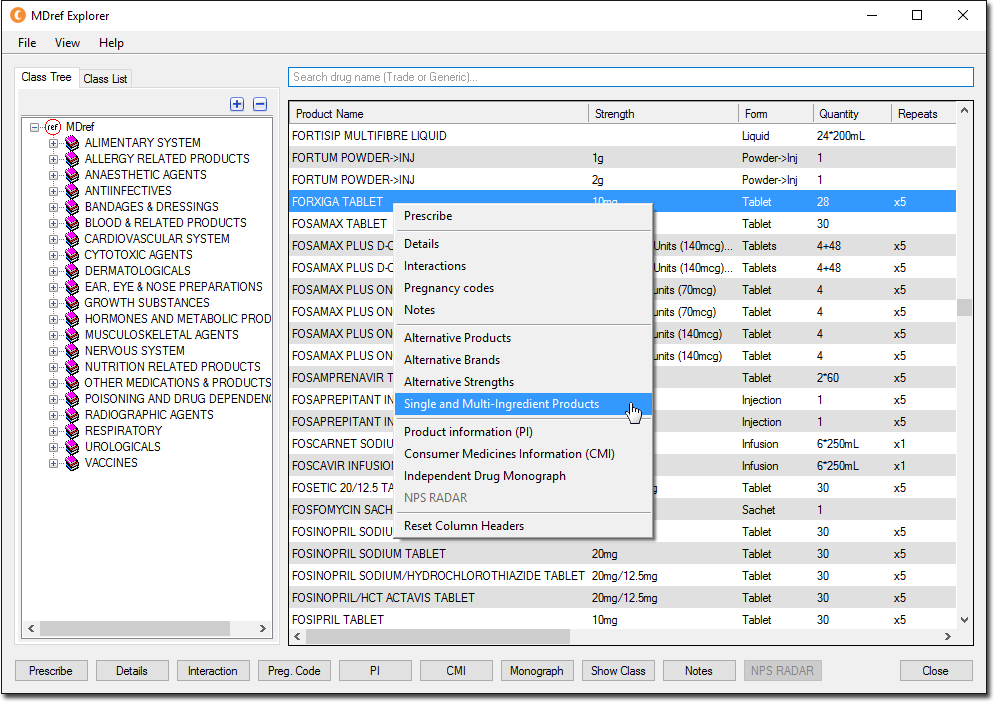
-
The Single and Multi-Ingredient Products window appears.
- This window displays any medications that share at least one ingredient with the selected medication, regardless of whether they themselves contain more or fewer ingredients than the selected medication.
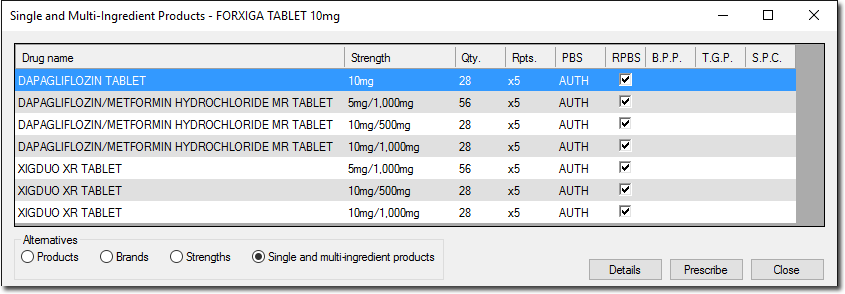
- Pharmaceutical Benefits Scheme
- Restricted Pharmaceutical Benefits Scheme
- Brand Price Premium
- Therapeutic Group Premium
- S.P.C. - Special Patient Contribution
- This window displays any medications that share at least one ingredient with the selected medication, regardless of whether they themselves contain more or fewer ingredients than the selected medication.