
Location Distribution
View the distribution of Shared Health Summaries you have uploaded for each location.
Use the ePIP Shared Health Summary Calculator to view the distribution of Shared Health Summaries you have uploaded for each location.
Using the example below, we can see that this practice has uploaded 4 Shared Health
Summaries for August.
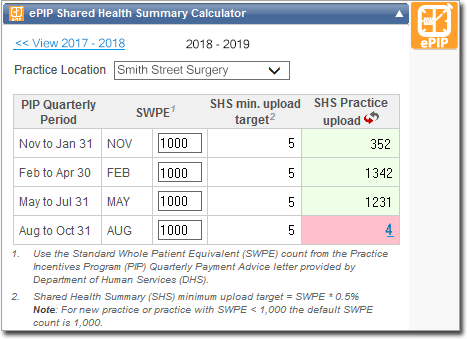
By clicking on the value in the SHS Practice upload column (in this example the
'4' ), we can display a table showing the distribution of uploads
per location.
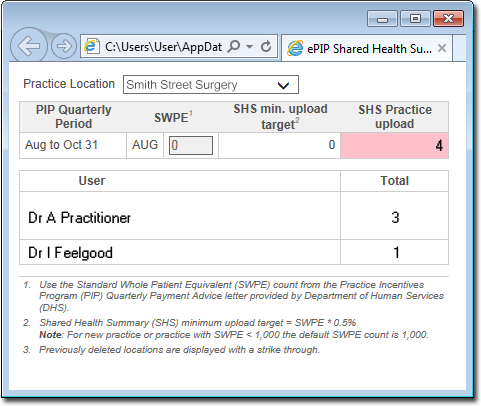
In our example, the table indicates:
- There were 4 uploads in total
- 3 of those uploads were performed by Dr A Practitioner.
- 1 of those uploads was performed by Dr I Feelgood.
Tip:
If integrated, the Location data is sourced from the
Location field in the practitioner's record in Pracsoft.