
Using the Widget
Procedure
-
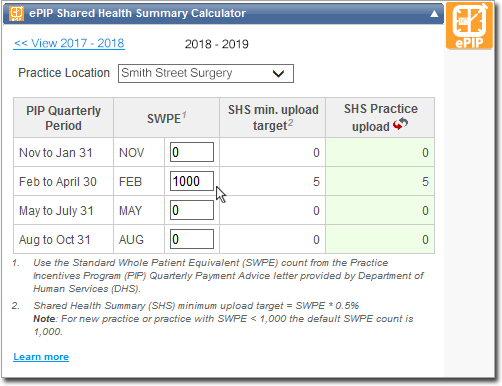
Enter the SWPE count for the appropriate PIP Quarterly
Period.
-
Check the result of SHS minimum upload target and SHS Practice upload.
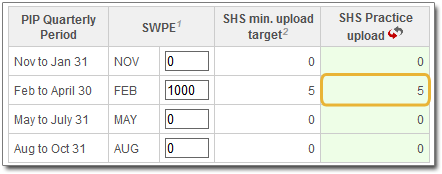
- A green background in the SHS Practice Upload field
indicates that the minimum SHS upload quota has been met.
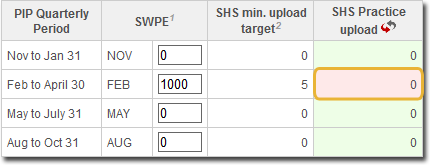
- A red background indicates that the minimum SHS upload quota has not been
met.
- A green background in the SHS Practice Upload field
indicates that the minimum SHS upload quota has been met.
-
To refresh the SHS Practice upload count, click
 . The last SWPE count entered will be the default
value.
. The last SWPE count entered will be the default
value.