Restore Procedure
Before you begin
- Before performing the restore operation, stop the following
Services (if listed) via Windows . To stop a service, locate and right-click it, and select
Stop.
- HCN Automatic Update Service
- HCN Blue Chip Fee Activation Services
- HCN Integration Services
- HCN Service Manager
- HCN SMS Scheduler Service
- MD Communication Services
- MD DC AutoUpdater
- MD DC Service
- MD Integration Message Broker
- MD Integration Message Broker Host
- MD SMS Scheduling Agent
- MD Insights Data Collection
- MD Insights Quartz Manager
- MDXi
- SMS Scheduled Agent
- Third-party software may have services listed which connect to the HCNSQL07 Instance (i.e. Clinical / Pracsoft), and these services should be stopped also.
- If you are restoring the database to an existing server, where the MedicalDirector applications are already installed, you can proceed directly to the instructions now.
- If you are restoring the database to a new server, where the MedicalDirector applications have not been installed yet, you must install the applications before restoring your database.
- If your backup file resides on an external device, it is highly recommended you copy the backup file to the local computer before running the restore operation i.e. do not restore directly from the device itself.
Procedure
-
Open SQL Server Management Studio:
- From the Task Bar (if available)
- Click
 .
. - From the Start Button (Windows 8 and above)
- Click Start
 .
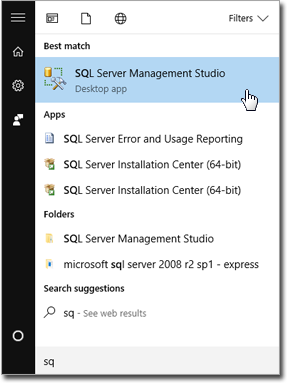
. - Type SQL Manage. Locate and click SQL
Server Management Studio.
- Click Start
-
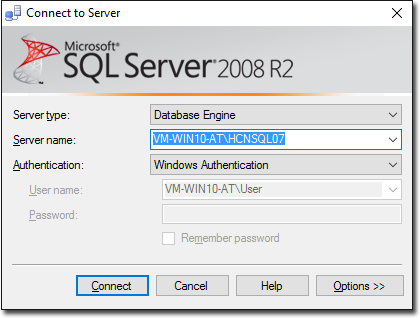
SQL Server Management Studio opens, and you are prompted to log in. Select the
HCNSQL07 option, and click Connect.
-
Locate and right-click .
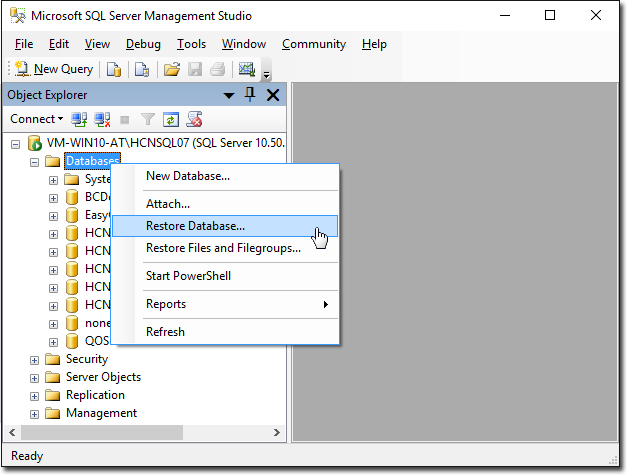
The Restore Database window appears.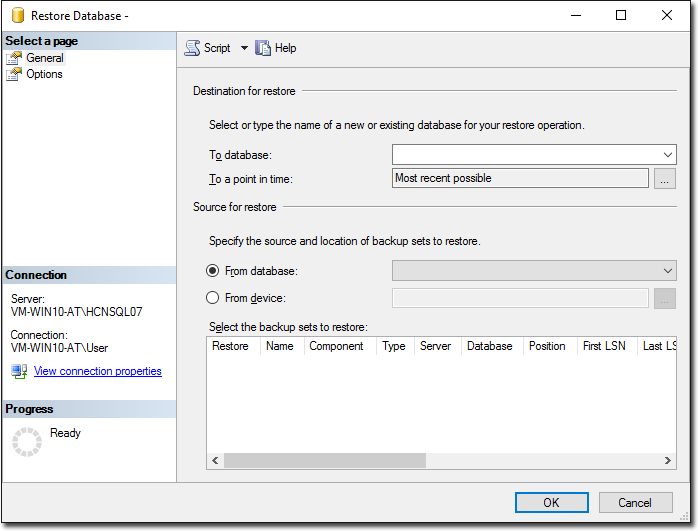
-
Within the Source for Restore section, indicate the location of the database you want to restore:
- You would select From Database if advised by MedicalDirector Customer Service when, for example, you had required assistance to isolate and resolve an issue with your database.
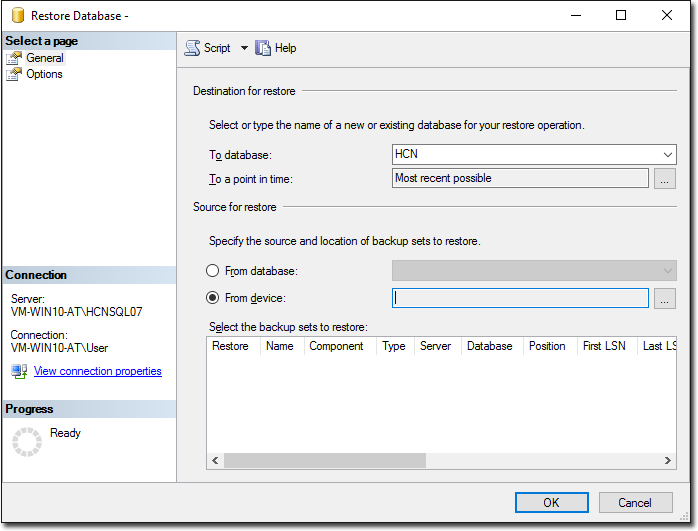
- You would select From Device under normal circumstances. A 'device' can include any external device, but can also refer to a hard drive on your computer or network. If your backup file resides on an external device, it is highly recommended you copy the backup file to the local computer before running the restore operation i.e. do not restore directly from the device itself.
- In our example, we have chosen to restore the HCN database from a device.
-
In the image above, locate and click
 to the right of the From Device field.
The Specify Backup window appears.
to the right of the From Device field.
The Specify Backup window appears.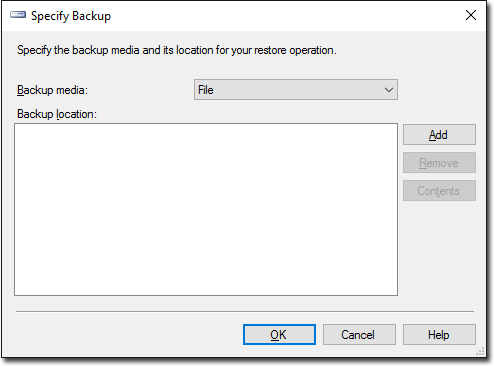
-
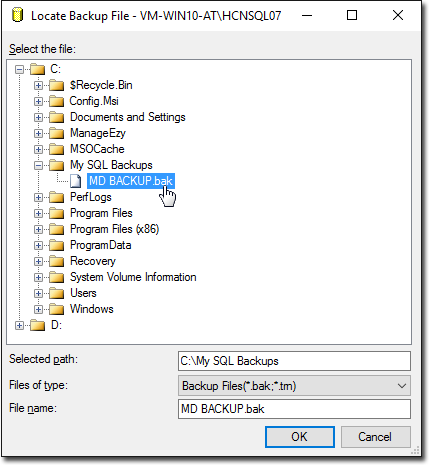
Click Add. The Locate Backup File
window appears. Locate and select the backup file you want to restore.
-
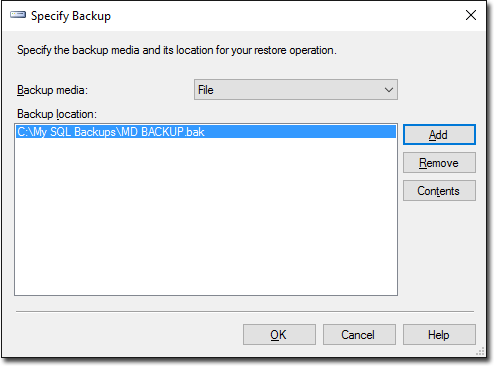
Click OK. You will be returned to the Specify Backup window,
with your selected backup file listed.
-
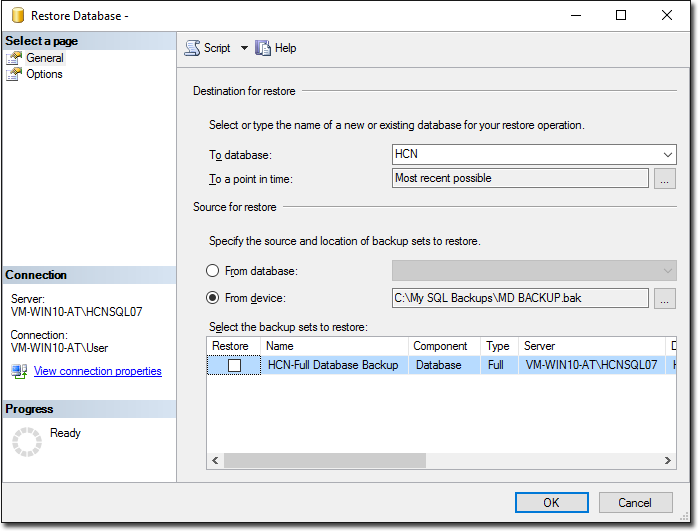
Click OK. You are returned to the Restore Database window,
where your selected backup file is now listed.
-
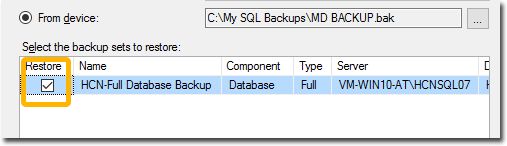
Ensure you place a tick in the Restore check box for the database file you want to restore.
-
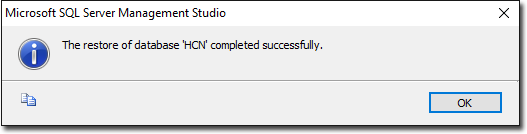
Click OK to commence the restore operation. When completed,
a confirmation will appear.