Preventive Health Prompting for Specific Patients
Customise preventive health prompts for specific patients in the following areas, such as blood glucose, blood pressure, smoking and so.
About this task
The recommendations are based on information stored in (or absent from) the patient's record.
Procedure
To customise preventive health prompts for a
patient:
-
In the Preventive Health window, click
Customise patient prompts.
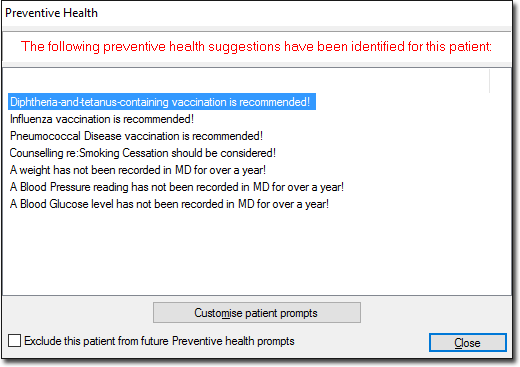
Tip:- To disable the preventive health prompts for the patient in future, set Exclude this patient from future Preventive health prompts.
- You can also disable this prompt for all patients via Prompt Options.
-
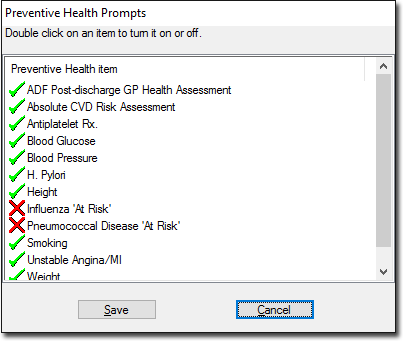
In the Preventive Health Prompts window,
double-click on the required item to enable or disable it.