
Recording and Managing Clinical Data
The recording and management of most clinical data is performed via the Clinical window, and on a patient-to-patient basis.
Information management en-masse (for example, printing Recall letters to patients) is generally performed from the Clinical window.
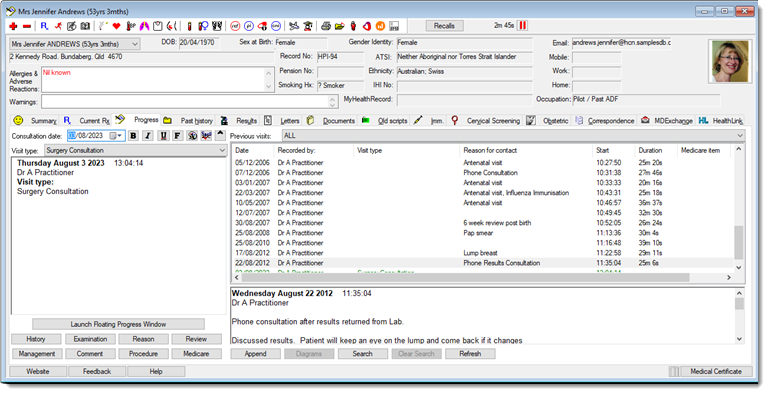
By clicking  Add at the top-left of the Clinical window, or pressing
F3 on your keyboard, you can add a new item to the patient's
record, dependent on the currently-selected tab. For example, with the Current Rx tab selected you would add a new
prescription - with the Past History tab
selected, a note about the patient's clinical history.
Add at the top-left of the Clinical window, or pressing
F3 on your keyboard, you can add a new item to the patient's
record, dependent on the currently-selected tab. For example, with the Current Rx tab selected you would add a new
prescription - with the Past History tab
selected, a note about the patient's clinical history.
Clicking  Delete or pressing the
Delete key on your keyboard removes any highlighted clinical
information from the patient's record.
Delete or pressing the
Delete key on your keyboard removes any highlighted clinical
information from the patient's record.
Some information cannot be removed. For example, you cannot remove information from a patient's previous Progress Notes.
For medico-legal reasons, when you delete patient data, it is hidden from view but not actually removed from the Clinical database.
When deleting some forms of data (for example, from the Current Rx and Old Scripts tabs), you will be prompted to enter a reason for deleting it. This information is stored in the patient's Progress Notes and in the case of prescriptions, a list of deleted medications. This feature can be de-activated via Prescribing Options.