
Merge Clinical Lists
Before you begin
When Recalls (for example) are recorded, you can enter a customised term or description of the Recall reason, as opposed to using the terms/descriptions supplied with Clinical. In Clinical there are numerous lists like this that you can add customised terms to.
A caveat of using customised terms is that records associated with them might not appear in the results of searches you conduct. For example, if you had entered a customised Recall reason of URGENT RESULT, and you conduct a Recall search using the supplied criteria of 'URGENT TEST RESULT', any record that use your customised reason will not appear in the search results. To account for this, the Merge Clinical Lists utility allows you to easily search for and replace customised entries with those supplied with Clinical.
To use the Merge Clinical Lists utility:
Procedure
-
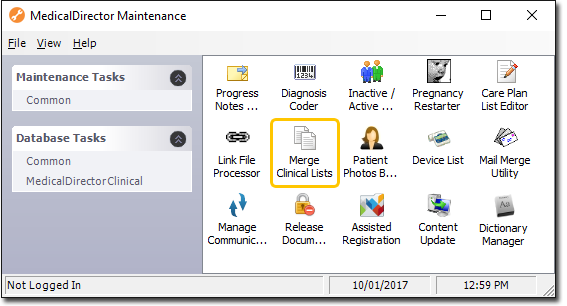
Locate and double-click the
 MedicalDirector Maintenance icon on your desktop. The window appears.
-
Select the menu item.
-
Double-click
 Merge Clinical Lists. (Optional) If this is the
first time you have tried to run the Merge Clinical Lists utility during this session
of working in MedicalDirector Maintenance, you will be prompted to select a Configuration, and enter your Username
and Password.
Merge Clinical Lists. (Optional) If this is the
first time you have tried to run the Merge Clinical Lists utility during this session
of working in MedicalDirector Maintenance, you will be prompted to select a Configuration, and enter your Username
and Password.
-
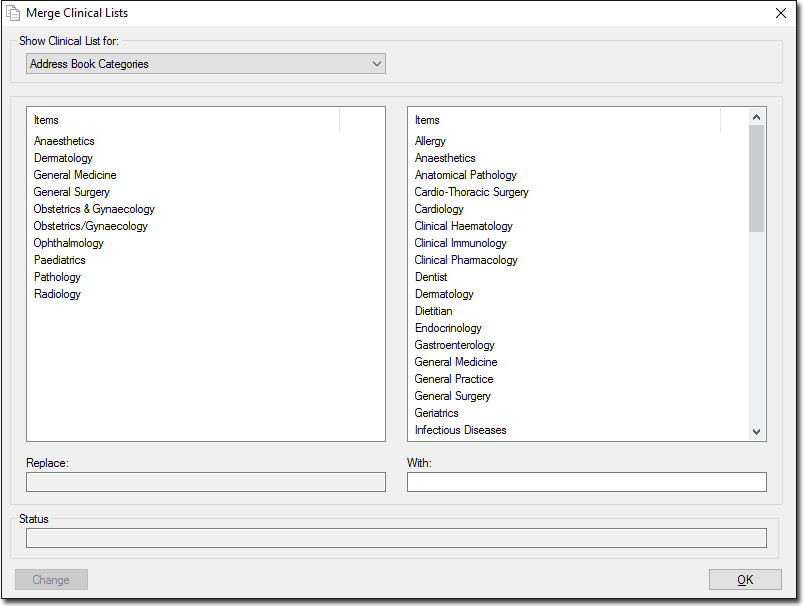
The Merge Clinical Lists window appears.
-
In the example above, we want to replace all instances of the term 'Dental' (the customised category term one of our users created) with the term 'Dentist' (the pre-defined term supplied with Clinical).
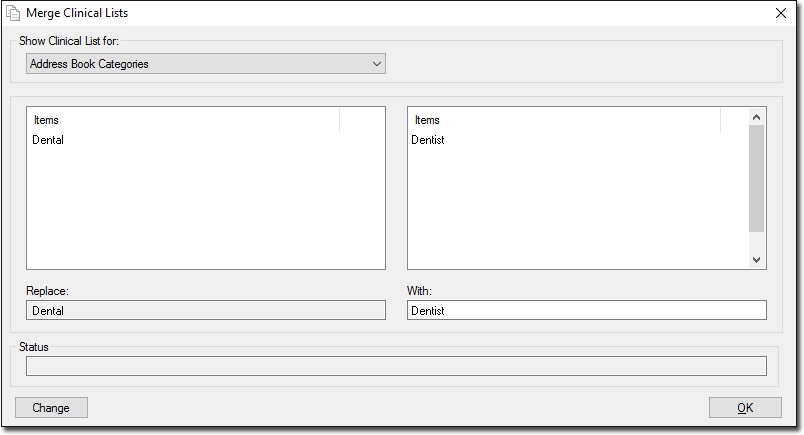
- Within the left-hand list of items, locate and select the entry you want to merge (Dental).
- Within the right-hand list of items, locate and select the entry you want to replace the customised entry with (Dentist).
-
Click Change. You will be prompted to confirm this action. A
search of your database is conducted, and wherever there is an instance of the
category term 'Dental' used, it is replaced with the category term 'Dentist'.
Confirmation and details of the successful replacement will appear in the
Status text box, as shown following.
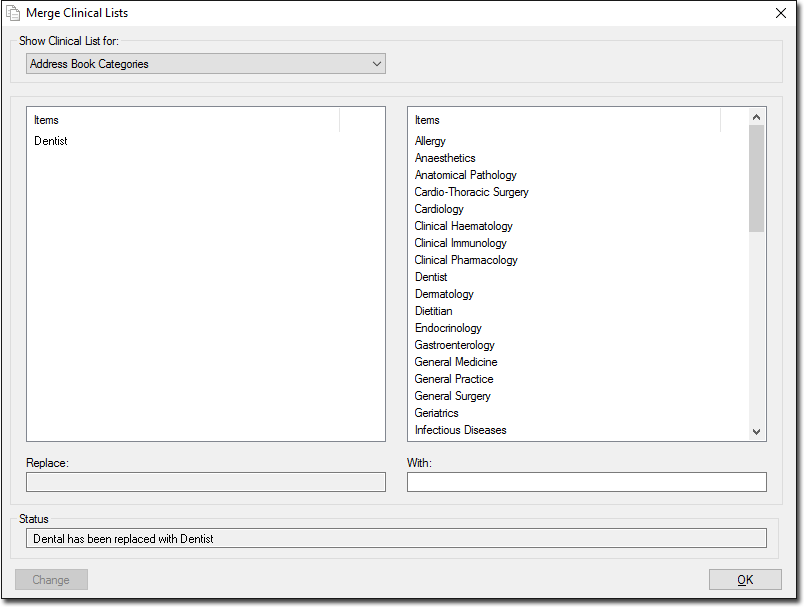
Notice in the example above that the original term 'Dental' is still listed on the right-hand side of the window. Although the Merge Clinical Lists utility conducts a search of the records in your database for the term 'Dental' and replaces it with the term 'Dentist', it does not remove 'Dental' from the list of terms available for you to select from in future, unless you manually delete it from the list via (in MedicalDirector Clinical).
Results
What to do next
- Address Book categories are managed from within Clinical via
- Recall categories are managed via .