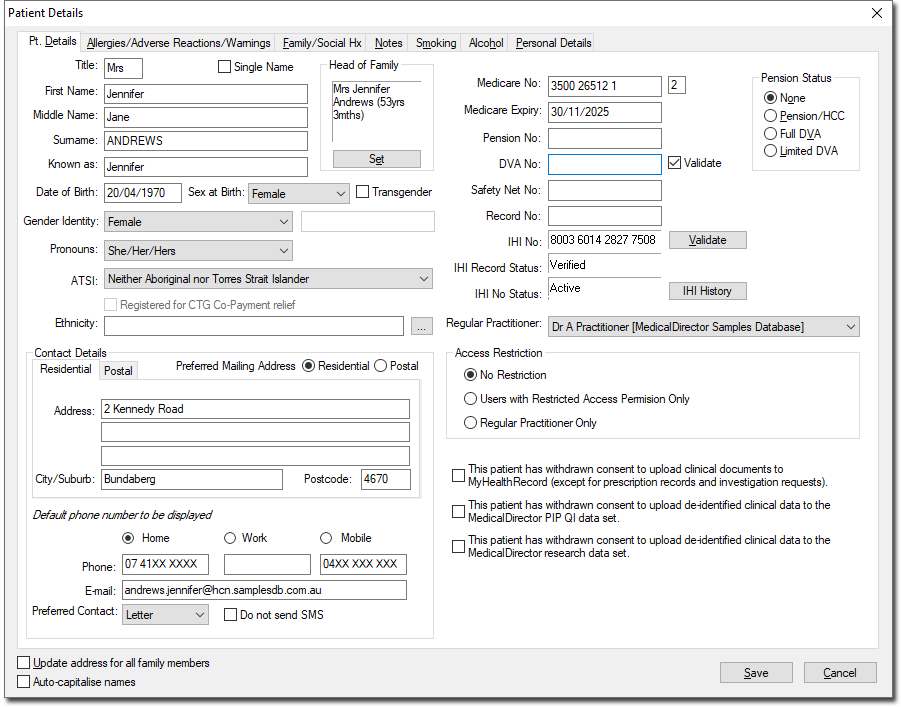
Editing a Patient's Details from their Record Edit a patient's details from their Clinical Window. Before you begin Procedure From within the patient's Clinical Window, either: Select Patient > Details Press > Ctrl + D Double-click any demographic field displayed at the top of the patient's Clinical Window. The Patient Details window appears. Enter data as appropriate for the following tabs: Alcohol Tab Allergies/Adverse Drug Reactions/Warnings Tab Family/Social Hx Tab Notes Tab Personal Details Tab Pt. Details Tab Smoking Tab Click Save to confirm your input.