
Validate Patient IHI Number for PIP

Check the patient's IHI number is set up correctly for the Practice Incentive Program eHealth Incentive.

Before you begin

Note:
You only need to perform this step for your patients when they come in for consultation.

Procedure

  1. In the Clinical window (or via the Patient List – F10), open the Patient Details window.
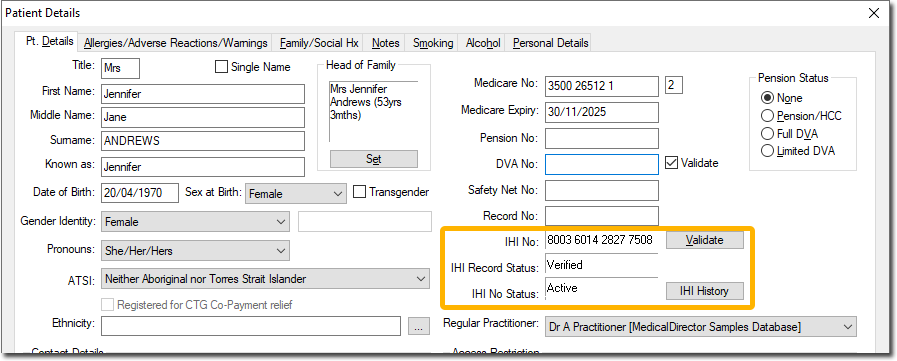
    Patient Details window with IHI fields highlighted
  2. Select the Pt Details tab.
  3. Ensure that the following details have been recorded and are correct:
    • First Name
    • Surname
    • Medicare No and position on card, or DVA No.
    • Date of Birth
    • Sex at Birth
  4. Click Validate .

Results

The validation commences, and upon positive verification, the IHI Record Status will read Verified.