
Record HPI-I Number for PIP
Record your HPI-I number for the Practice Incentive Program eHealth Incentive.
Procedure
- Within Clinical, select to access the user database.
- Locate and double-click the user record you want to edit.
- Enter your HPI-I number into the HPI-I No field.
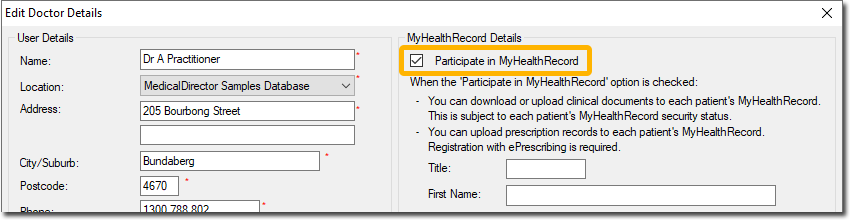
- Set Participate in MyHealthRecord.
-
Enter your details as you want them to appear in the My Health Record system.
- Click OK.