
Importing Certificates into Clinical
Import HI certificates into Clinical for the HI service.
Procedure
To import a certification
-
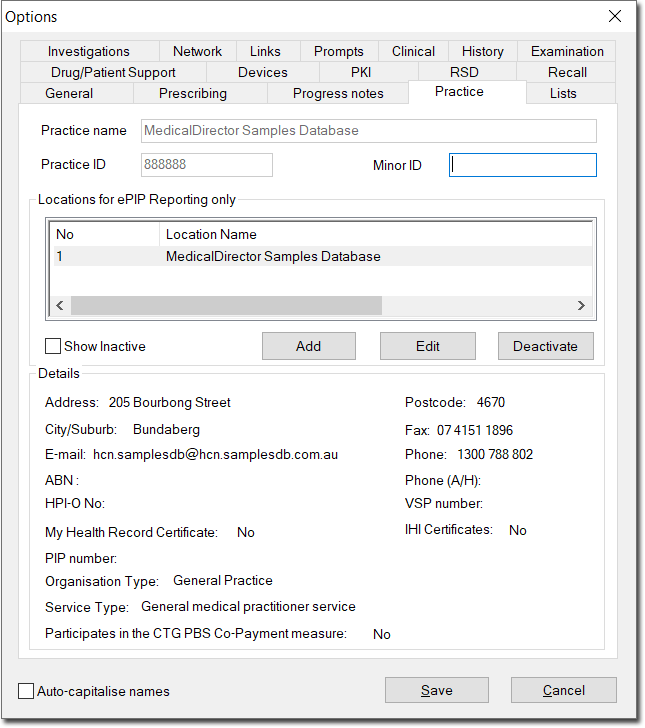
Within Clinical select tab.
-
Select the practice you wish to import certificates for, and click
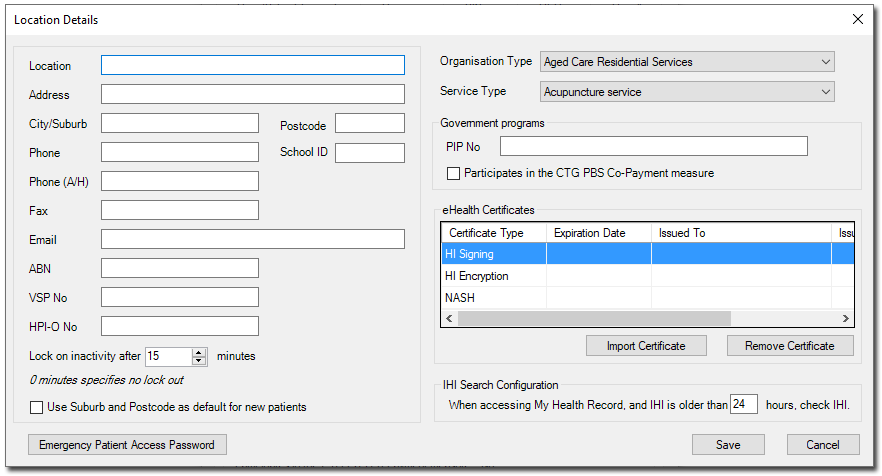
Edit. The Location Details window
appears.
-
Click Import Certificate. The Import
Certificate window appears.
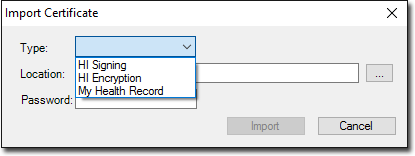
- Via the Type drop-down list, select the My Health Record certificate option.
-
Click
 Ellipsis to
locate the My Health Record Certificate. You will be returned to the Import
Certificate window.
Ellipsis to
locate the My Health Record Certificate. You will be returned to the Import
Certificate window.
- Enter the password for the My Health Record Certificate.
- Click Import and then Save on the Options window.