
Field Tab
Defaults the required field to Letter Writer.
To set up the required field as default, in the Preferences window,
select the Field tab.
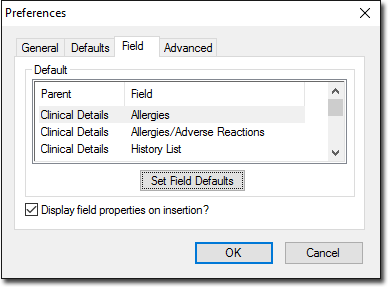
| Field | Description |
|---|---|
| Set Field Defaults | Either select a field and click Set Field Defaults or double-click a field to set its default properties. |
| Display field properties on insertion | If enabled, you are prompted to modify field properties
when you insert a field or data to a letter. If disabled, the prompt does not display and the default properties are used instead. |