
Pain Assessment
Document the patient's pain locations and record the severity of the pain from 0 to 10.
About this task
Procedure
To record a new pain assessment:
-
In the Clinical
window, select .
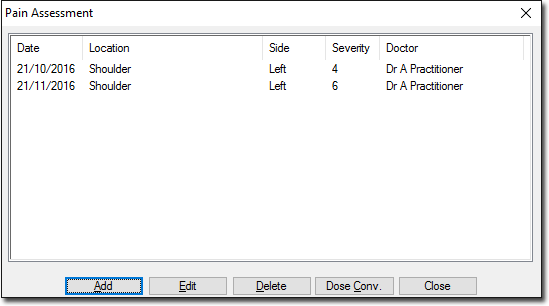
This window lists all previous assessments if any. -
In the New Pain Record window, select the patient's pain
location and record the severity on the Location tab.
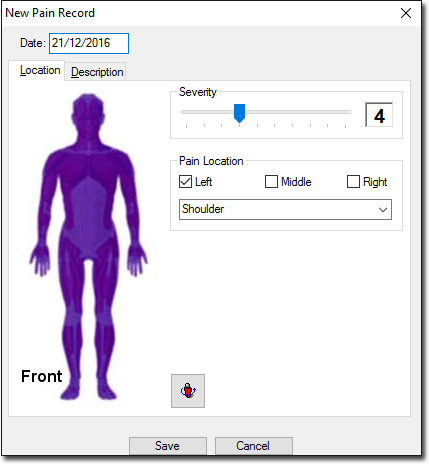
- Alternate between the figure's front and back views by clicking the
 Rotate icon.
 - Amend the date if the assessment was made on a previous date.
- Alternate between the figure's front and back views by clicking the
-
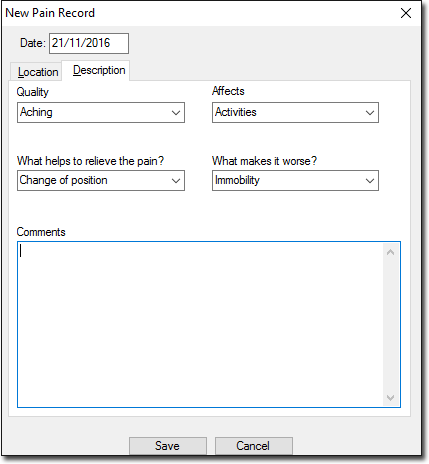
In the Description tab, enter the details of the pain.
Results
What to do next
- To edit an assessment, select the required assessment and click Edit.
- To delete an assessment, select the required assessment and click Delete.