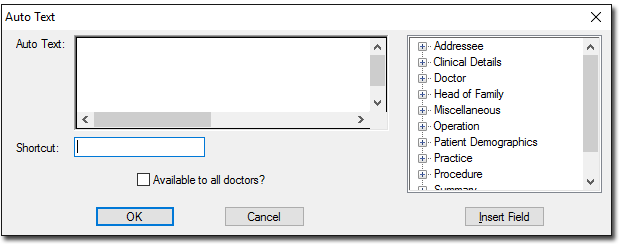
Adding a Signature Add a signature for use in letters using Auto Text. Before you beginFind a document or image with the signature that you want to use. ProcedureTo add your signature to attach to letters: In the Letter Writer, select Edit > Auto Text > New Minimise MedicalDirector Clinical. Open a document or image containing your signature. Copy your signature using the Microsoft Windows Snipping Tool. Return to the open Auto Text (add/edit) window, position your cursor in the Auto Text box and press Ctrl+V to paste your signature. Tip: If the image appears blank, resize it until it is visible. In the Shortcut field, enter a shortcut such as .sign. Important: Do not set Make Available to all Practitioners. Click OK. ResultsYour signature is available as auto text. What to do nextAdd your signature to letters as required, using the shortcut you specified.