Merged Patients
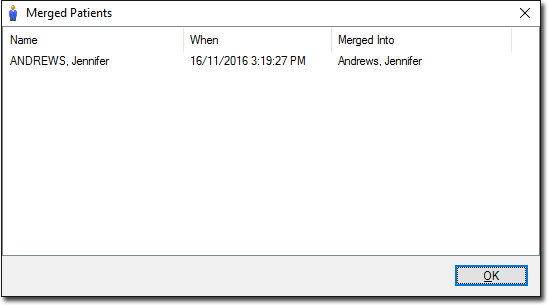
The Merged Patients window displays patients that you have merged manually.
Procedure
To view a list of patient records that have been merged:
-
Locate and double-click

MedicalDirector Maintenance on your desktop. -
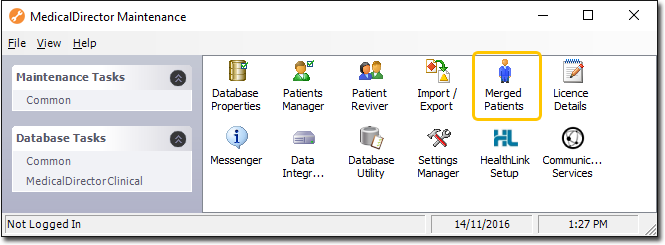
In the MedicalDirector Maintenance window, select the menu item.
-
Double-click
 Merged Patients.
(Optional) If this is the first time you have tried to access the Merged Patient window during this session of working in MedicalDirector Maintenance, you will be prompted to select a Configuration, and enter your Username and Password.
Merged Patients.
(Optional) If this is the first time you have tried to access the Merged Patient window during this session of working in MedicalDirector Maintenance, you will be prompted to select a Configuration, and enter your Username and Password. -
The Merged Patients window displays the name of the patient
merged, the date when the merge occurred and the record that the patient was merged
into.