
Exporting a Report Excerpt
Export an excerpt of the data for a selected report.
Before you begin
Procedure
-
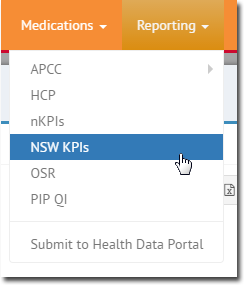
Select Reporting and then select the report for which you
want to export an excerpt, such as nKPIs.
-
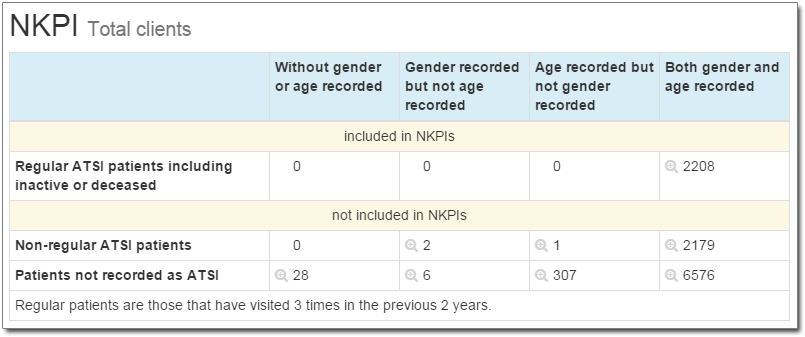
In the report, click
 Search to indicate which excerpt of data you want to
export.
For example, if you want to export patients who fall into the category of Patients not recorded as ATSI and Gender recorded but not age recorded, locate and click the corresponding button, as indicated below.
Search to indicate which excerpt of data you want to
export.
For example, if you want to export patients who fall into the category of Patients not recorded as ATSI and Gender recorded but not age recorded, locate and click the corresponding button, as indicated below.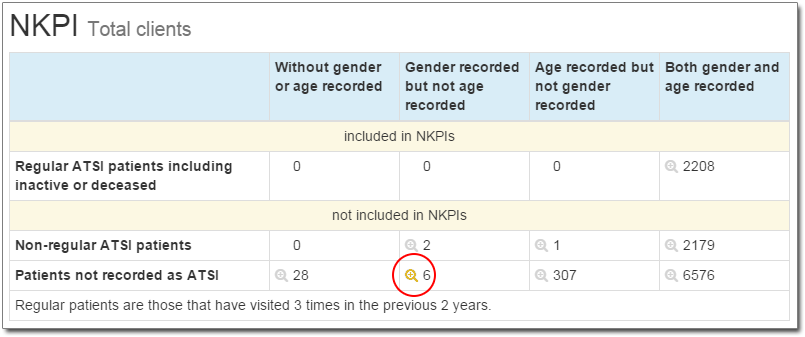
-
In the MedicalDirector Insights Patient Export window, to
export the compiled list of patients, click either:
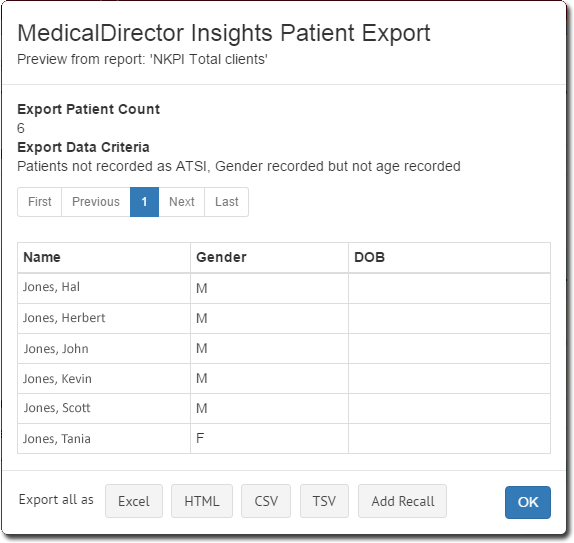
- Excel to export to MS Excel (.xlsx) format.
- HTML to export to HTML format.
- CSV to export to CSV (comma-separated values).
- TSV to export to TSV ( tab-separated values).
- Add Recall - alternatively, you can generate a Recall notification for these patients.
Results
The filename of the exported report includes the collection date and the date on which the export was made. For example collection20160116 exported on 20160203.html.