
Adjusts the positioning and alignment of items printed on a prescription.
About this task
Use the Script setup tab in the
Print Options window to adjust the print settings for prescription
sheets.
Procedure
To set up print options for the prescription sheet:
-
From the MedicalDirector Clinical Homepage, select .
-
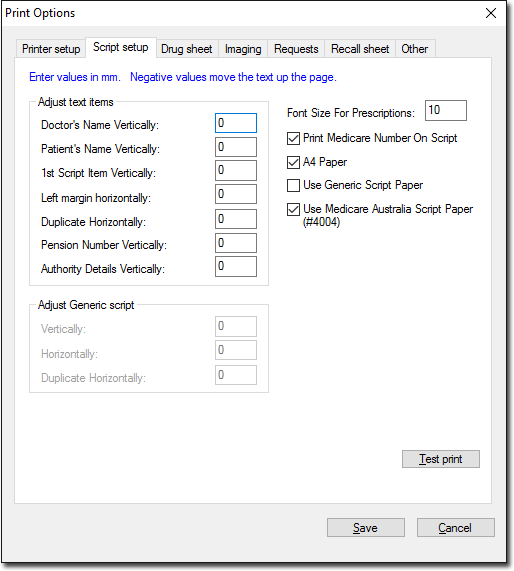
In the Print Options window, select the Script
Setup tab.
-
Enter the appropriate values to adjust the script settings. For more information
about each field, refer to Script Setup Options table.
Tip: Measurements are in millimeters (mm).
-
To print a sample script with the new settings, click Test
Print.
-
Click Save.
Results
Settings for printing prescriptions are saved.