
Requests
Customise the print options for pathology request forms, such as setting default paper size, adjusting margins, setting the orientation and printing a barcode or patient's file number.
Before you begin
Permissions:
- Options Editing
About this task
Procedure
To set up pathology request forms:
- From the MedicalDirector Clinical Homepage, select .
-
In the Print Options window, select the
Requests tab.
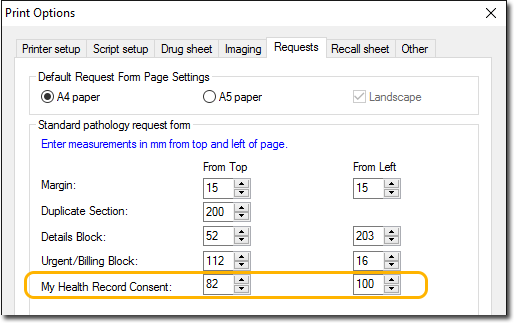
- Edit the required settings as appropriate. For more information about each field, refer to Requests Print Options table.
- Click Save.