
Holding File Tab
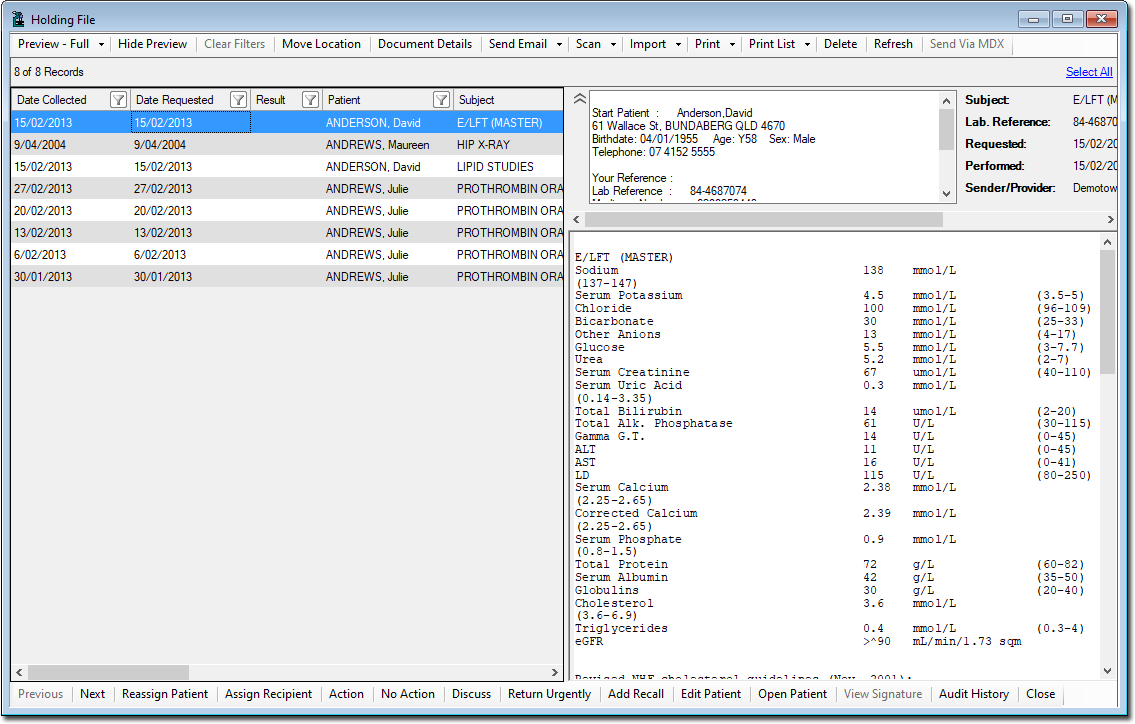
Check for unactioned correspondence related to the patient from
their file on the  Holding File tab.
All investigation test results and other content are sent
electronically to the practice and are displayed in the inward
holding file. This file can be filtered to show only tests for
specific clinicians, where the doctor can review the result and act
on it accordingly. Key features of the Holding
File tab include:
- Electronic file transfer for results saves an enormous amount of staff time in retrieving and filing paper records.
- Results can be imported using a number of lab specific and standard data transfer protocols, including HL7.
- Radiology practices have the ability to stream DICOM images directly into patient records. Practices using these facilities no longer need radiology film. Images are always available from the patient record for clinical review.
- Latest technology streaming of high resolution images to Clinical users from the radiology clinic occurs in
real time. This technology also allows reviewing the whole
image or just a fraction of it, matching the native
resolution of the original picture. The report is downloaded
and stored locally, however the burden of storage of the
high resolution images remains in the radiology
practice.
For more information about using the Holding File, refer to Using the Holding File.
You cannot perform additional correspondence actions, such as
emailing an item from the Holding File tab. An item must first be
actioned before performing these tasks.