
Acupuncture Tab
Record visits where acupuncture was performed.
From the , either enable or disable acupuncture module. This
module is optional.
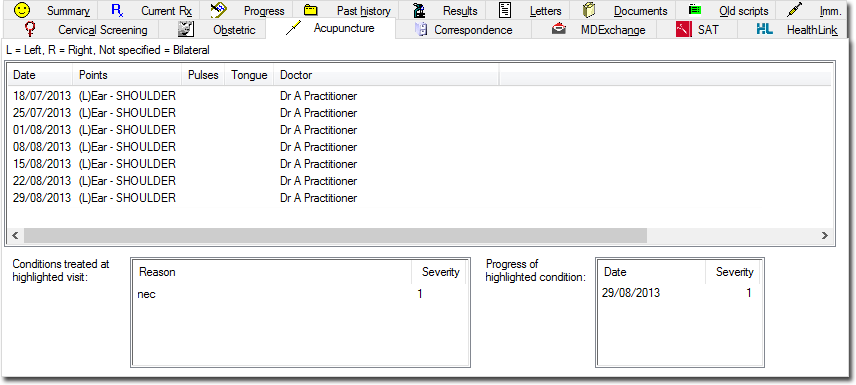
| Field | Description |
|---|---|
| Acupuncture Treatment Details | Displays the Acupuncture treatment details for each visit. |
| Condition treated at highlighted visit | This lists the conditions treated during the highlighted visit, along with a subjective rating severity at that visit. |
| Progress of highlighted condition | This list shows the date and severity rating for all
visits relating to the highlighted condition, which allows
for easy visualisation of the progress being made.
Double-click an entry in this list to display a progress
graph for that condition. For example, the graph below
displays the progress of the patient's shoulder for the
reason selected in the Condition Treated at
Highlighted Visit field. 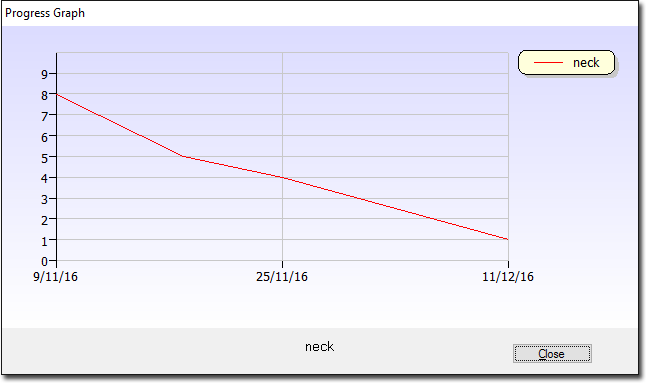 |
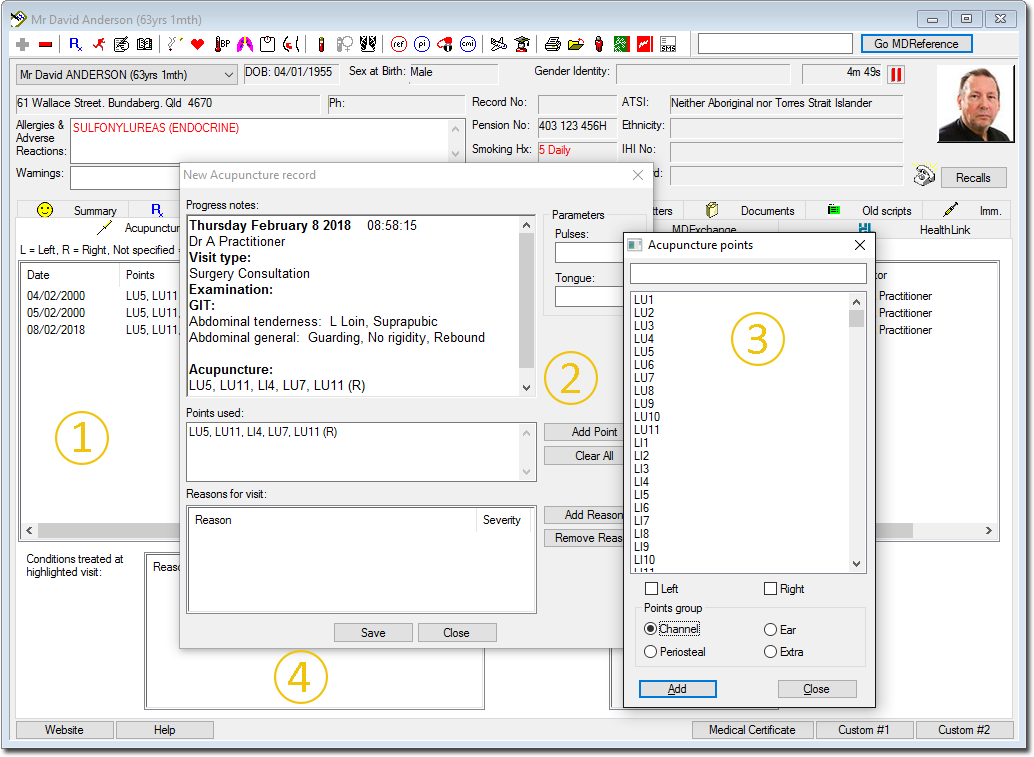
Explain the Acupuncture function, from the above images with the numbered annotations:
- A summary of all previous acupuncture consultations along with the acupuncture points used.
- The new acupuncture record, which commences with the previous points listed. These can be edited, or new points added from the pick list shown in 3.
- A pick list of all acupuncture points, using a variety of nomenclatures.
- Allows reasons for the consultation to be listed and graded for each attendance, to assist practitioners to know if the selected points are helping to reduce the symptoms.