INR Record

Record and monitor a patient's International Normalised Ratio (INR) when they are taking anticoagulants (for example, Warfarin).

About this task

Set ideal INR ranges and use the graph utility to review the patient data over time in the INR tool.

Procedure

To record a patient's INR:
  1. To access INR tool, perform one of the following methods:
    • Press Ctrl+Alt+I.
    • In the Clinical window, select Tools > Tool Box > INR Record.
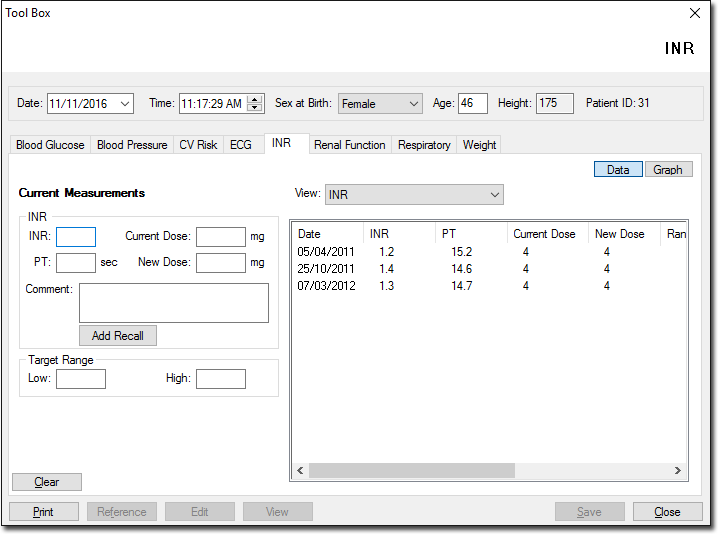
      INR tool
  2. In the INR > Current Measurements section, enter the patient's INR values. For more information on each action, see INR Actions.
  3. Click Save.

Results

The patient's INR values are saved and displayed in the INR list.

What to do next

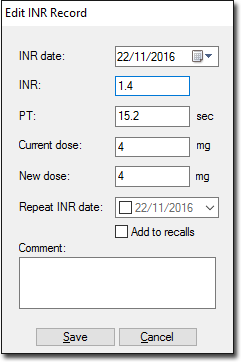
To edit an existing INR record, from the INR list, double-click the required entry.
Edit INR record window